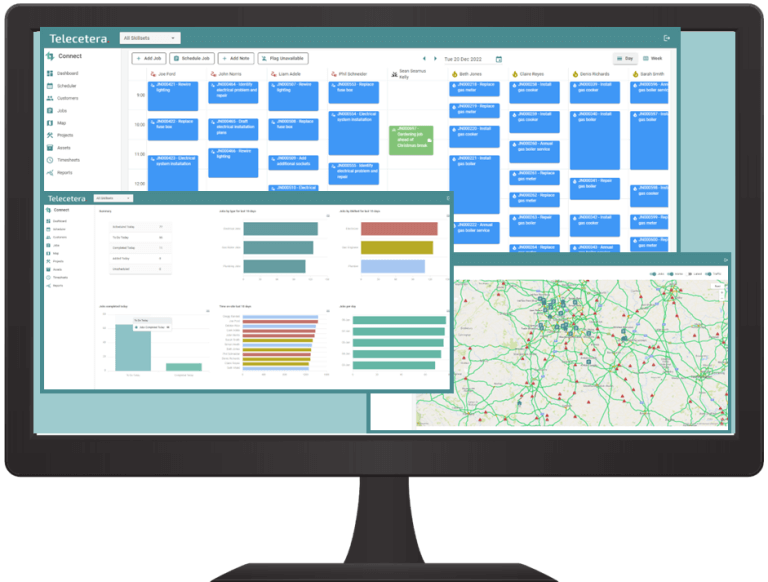
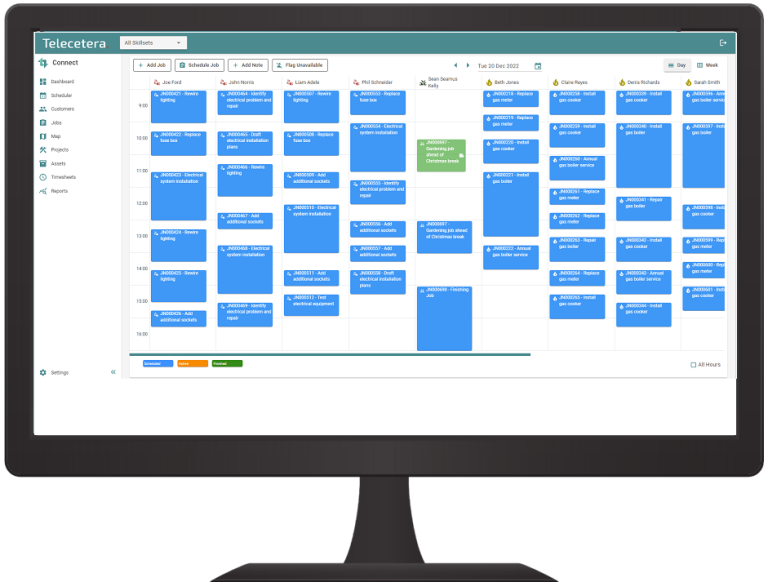
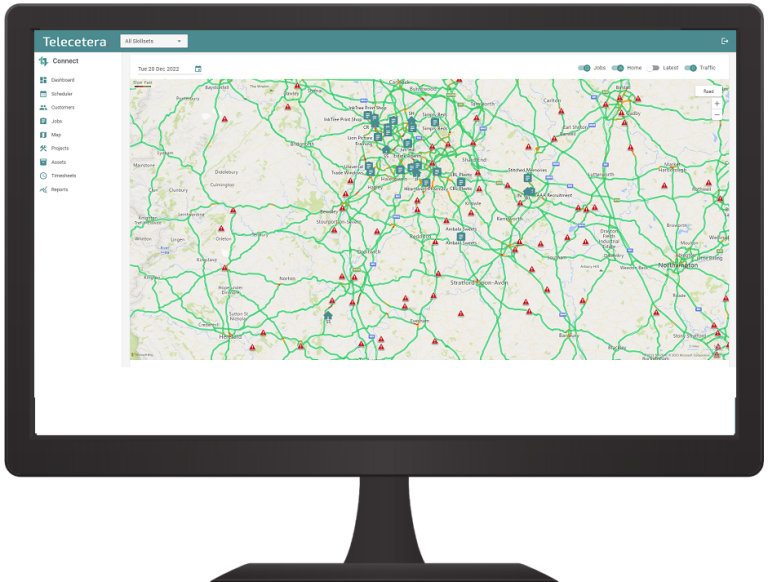
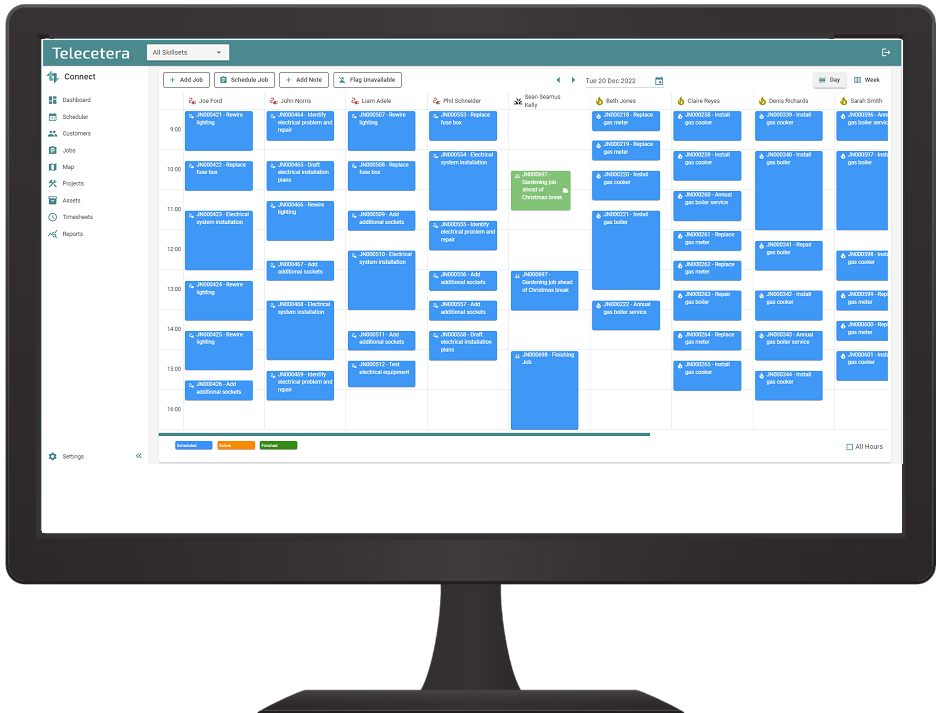
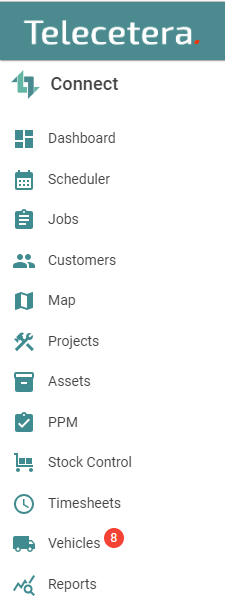
The key part of the Connect mobile workforce management solution is ConnectManager. Firstly, it enables your Managers to create and schedule Jobs with the Smart Scheduler. Secondly, your Mobile Operatives access Job Details in real-time. Furthermore, it is easy to create and track Customers, Sites, Assets, Jobs, Projects, Vehicles and Operatives. View Job and Operative locations on the real-time Map display, and on the live Dashboard.
All updates immediately synchronise to the Mobile App that Operatives use, which is called ConnectMobile
ConnectMobile
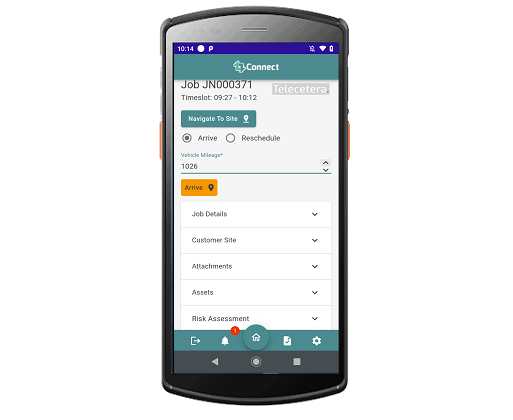
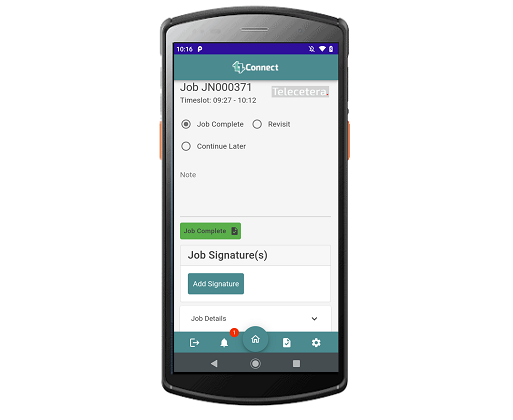
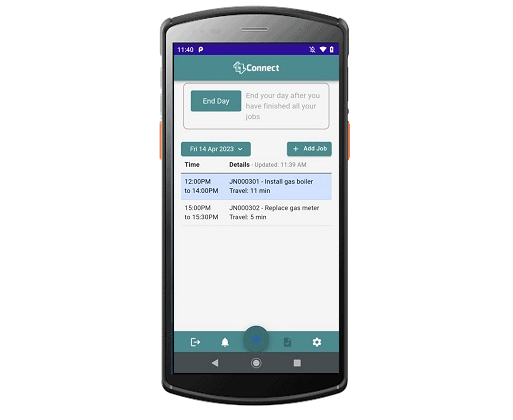
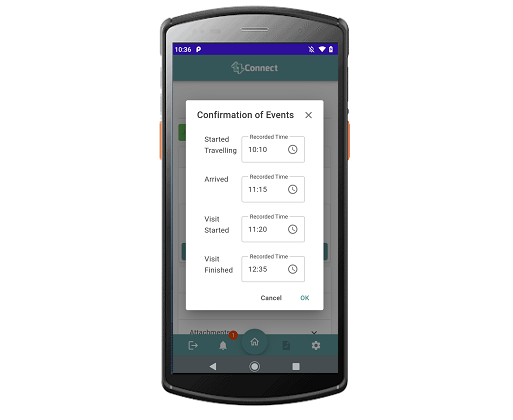
The Mobile App part of the Connect mobile workforce management solution is called ConnectMobile. This software displays essential Job information to mobile operatives, who can update the job status. Additionally, they can attach photos of the job and assets, record their time onsite, and raise new Jobs if necessary.
Above all, data updates and synchronises in real-time with the Scheduler tool that Managers and Schedulers use, which is called ConnectManager.
Video of Connect Job tracking solution
The video below is just 2m30s and showcases many of the key features of the Connect job management software. After watching the video, contact us to arrange a demo of the particular features that your organisation needs to digitise and streamline its operations.
Go paperless & Go Mobile with Connect
If you have teams on the road, manage jobs and work schedules and would like to try a different way of working, then try out ConnectManager and ConnectMobile.
Easy to use and extremely easy to set up. It can be fully customised to integrate with your existing business systems.
If you would like to learn more, please book a demo or e-mail us.
Simplify your operations by managing multiple Customers and their respective Sites/Properties. Schedule and track Jobs, and reduce or even remove paperwork and spreadsheets.
The product is highly configurable. Customers can have one or more Administrators, who configure the Connect mobile workforce management solution to support their business processes and data flows.
Additionally, some functionality can be turned off, so that it doesn’t clutter the Scheduler tool or the Mobile App.
All functionality is included in the price, which means pricing is simple. End user licences can be used for the ConnectManager or ConnectMobile product. Some of your team might be Hybrid users, where they both Schedule Jobs and work on Jobs. See Pricing page for product pricing.
Operational Benefits
Real-time view of all Job Activity
Reduce operative travel time & travel costs
Improve Scheduling & Routing of Jobs to reduce unnecessary journeys
Control your Van Stock and Parts
Improve your cash flow – tracks time and costs to Jobs
Reduce or even remove your cumbersome spreadsheets
Integrate with your Back Office Systems to improve your efficiency
Go fully paperless in your organisation
The greatest benefit from my perspective is the improved visibility of the engineering teams which delivers increased efficiency and cost savings throughout the business.
Paul Dean
Operations Director, FLR Spectron
What you can achieve with Connect
Create Job Types, Job Templates, and apply these to your Customer Sites
Create Skillsets and apply these to your Engineers
Schedule an Engineer to a Job quickly and effectively
Sync tasks and update across the team – Job data updates in real-time between the Scheduler and the Mobile App
Create Customers and add Sites/Properties quickly and easily and keep these up-to-date
Simple to use – clean User Interface using modern web technologies
Run paperless maintenance and service operation – no more forms and spreadsheets needed
Schedulers shows real-time map of Operative home location/depot, Job locations and current location
The Connect mobile workforce management solution runs on Android mobile & Windows tablet devices (iOS version not yet available)
Single source of the truth – search the system for Customer info, Site info, Job info. All data is up-to-date in both the Scheduler and Mobile App (needs a continuous connection to the internet – no offline mode available)
Scheduler ‘Dashboard’ view can be put on a TV on the wall in your Headquarters – show a real-time view of Jobs, Engineers, and key Operational Performance Stats
Key Features
Intelligent Scheduler
The powerful and intelligent Job Scheduling engine will help you get the right operative, with the right skills and materials, at the correct time to the right Property or Site.
Working with Microsoft Azure Maps opens up the world! With Connect you can plan your workload to reduce time spent on the road – simply select a number of Engineers and a number of Jobs – let the software automatically schedule the Jobs for you! You can adjust afterwards if necessary.
Dashboard – real-time Job Performance data
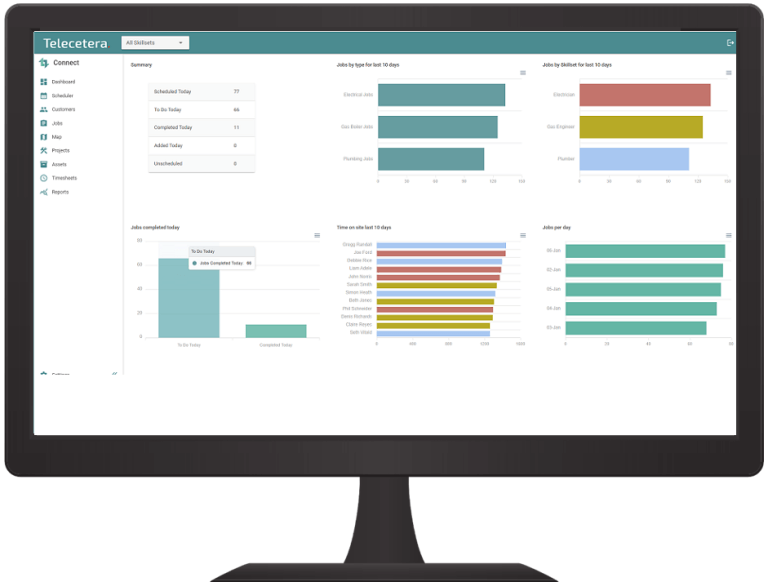
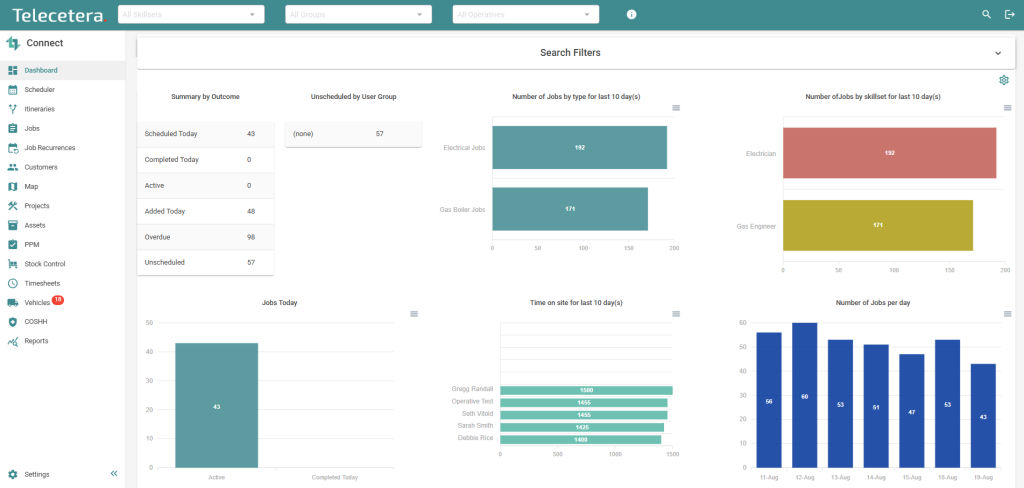
The Dashboard is the home page for the Scheduler Tool. This displays real-time data about jobs. Each ‘Tile’ presents a different view of your job data.
Display this page on a TV screen in your Headquarters to see Job Performance in real-time. E.g. Jobs by Outcome, by Skillset, Time on site, Number of Jobs per day, First Time Fixes. All entirely configurable per user.
Contracts and SLAs
Easily manage all your maintenance visits and keep a tight control over your contracts with efficient capacity planning – Links into Routing Feature and the Smart Scheduler. In addition, by adding SLA times to Job Templates, you can easily report your response times to your clients.
Projects
Schedule and control complex Jobs in the Projects module. You can group Jobs together and group teams together and keep tight control of costs and Parts and Materials used.
If you are currently juggling multiple spreadsheets, struggling to keep all Asset data in sync and Managing Timelines – then Connect will support your needs! Go Paperless and be more efficient for your customers.
In the Scheduler attach files to each Job. These files are then visible in ConnectMobile. Attach photos, schematics, and Service Booklets to aid your Mobile Engineers.
All Features are included. If you do not need them, your Admin user(s) can simply go into the Configuration Page and deselect them.
For example, some customers do not need Projects, Assets, Stock or Vehicle/Fleet Management functionality. All of these can be deselected, cleaning up the User Interface and allowing your Schedulers and Operatives to just focus on the Customers, Sites and Jobs that need doing.
Suggest a Feature
Every month our customers raise ideas, suggestions and requests for the product. We add these into the Product Roadmap and seek input from other customers before implementing. We sometimes produce a User Interface (UI) mock-up, to flesh out the requirements before the Product Development Team build the new feature. We call this ‘Customer Driven Development’.
As long as the suggestion benefits all customers then it is implemented.
If a customer has a requirement specific to them then we can sometimes implement a Custom Feature or Custom API or interface. We encourage all customers to ask for what they need and then we reconcile this with other customer requirements and the overall Product Backlog.
This website uses cookies to improve your experience. We'll assume you're ok with this, but you can opt-out if you wish. Cookie settingsACCEPT
Privacy & Cookies Policy
Privacy Overview
This website uses cookies to improve your experience while you navigate through the website. Out of these cookies, the cookies that are categorized as necessary are stored on your browser as they are essential for the working of basic functionalities of the website. We also use third-party cookies that help us analyze and understand how you use this website. These cookies will be stored in your browser only with your consent. You also have the option to opt-out of these cookies. But opting out of some of these cookies may have an effect on your browsing experience.
Necessary cookies are absolutely essential for the website to function properly. This category only includes cookies that ensures basic functionalities and security features of the website. These cookies do not store any personal information.
Any cookies that may not be particularly necessary for the website to function and is used specifically to collect user personal data via analytics, ads, other embedded contents are termed as non-necessary cookies. It is mandatory to procure user consent prior to running these cookies on your website.