Doing More With Less:
How WFM Software Supports Facilities Management Teams
Facilities management professionals often need to manage growing workloads with limited time, tight budgets and small teams. At the same time, customers expect quick responses, regular updates and a reliable service.
When schedules change, employees become unavailable or urgent jobs arrive, the working day can quickly become difficult to manage. Many facilities management teams still rely on spreadsheets, paper forms, phone calls and separate systems to organise their workforce. Although these methods may feel familiar, they can create extra administration and make it harder to see what is happening across the business.
Workforce management software can make this process easier by bringing important information together in one place.
The growing pressure on facilities management teams
Facilities management teams often handle planned maintenance, urgent callouts, inspections and customer requests at the same time. Managers must decide who should attend each job while considering employees’ locations, skills, availability and existing workloads.
Common challenges include:
Managing last-minute absences
Responding to urgent jobs
Rescheduling work when plans change
Finding an employee with the right skills
Keeping office and field-based teams updated
Tracking the progress of each job
Managing paperwork and manual records
Giving customers accurate updates
Without a clear overview, managers may spend the start of each day checking several systems, reviewing paper forms and calling employees to confirm their availability. If one person becomes unavailable, the team may need to repeat much of this work.
This takes time away from customers and other important responsibilities.
Why manual workforce management creates problems
Spreadsheets and paper-based processes can work when a team is small. However, they often become harder to manage as the business grows.
Information can quickly become outdated, particularly when several people update separate documents. Employees may receive an old version of a schedule, while managers may struggle to find the latest job information.
Manual processes can also make reporting more difficult. If managers need to collect information from emails, paper forms and spreadsheets, they may not have a complete view of workforce performance or current workloads.
Workforce management software gives FM teams a more organised way to manage these responsibilities.
How Connect WFM software can help
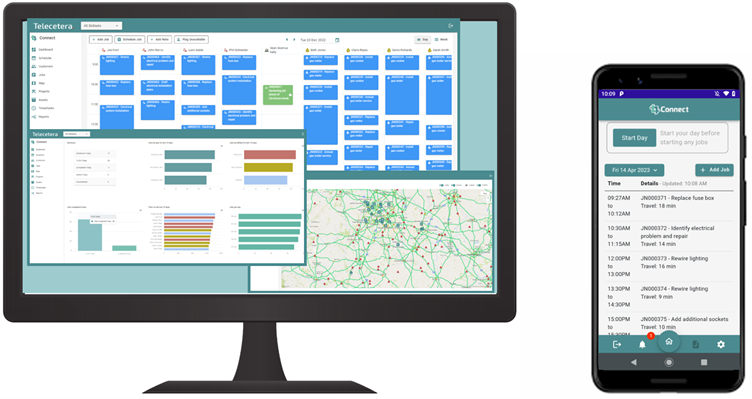
Connect WFM software helps facilities management teams coordinate their people, schedules and jobs through one central system. Instead of searching through different documents or relying on repeated phone calls, managers can access the information they need more easily.
Connect WFM can help teams:
Plan and manage employee schedules
View workforce availability
Assign work to suitable employees
Respond quickly when priorities change
Keep job information organised
Improve communication between office and field teams
Monitor workloads and job progress
Reduce repetitive administration
Maintain clearer and more accurate records
Having better visibility helps managers make quicker decisions. For example, if an employee calls in sick, the manager can review the available workforce and reorganise the schedule without rebuilding the entire plan manually.
This can make busy days feel more manageable and reduce delays for customers.
Supporting employees as well as managers
Workforce management software does not only benefit the people creating schedules. It can also give employees clearer information about their work.
When employees understand where they need to be, what they need to do and whether priorities have changed, they can plan their day more effectively. Clearer communication can reduce confusion, unnecessary travel and missed updates.
Managers can also review workloads more easily, helping them identify when one employee has too much work or when the team needs additional support.
A more flexible approach to facilities management
Facilities management rarely follows a perfect schedule. Emergencies happen, customer requirements change and employees sometimes become unavailable.
Connect WFM software cannot remove every unexpected challenge, but it can give teams the visibility and flexibility needed to respond. By replacing disconnected manual processes with one central system, FM teams can reduce administration, organise work more effectively and focus on delivering a reliable service.
When your workload continues to grow but your resources stay the same, the right workforce management software can help your team do more without making every day feel more complicated.
Connect WFM gives facilities management professionals a clearer and more efficient way to manage their workforce, even when plans change.